Overview
Background
- The Employee Event Detail component provides BAS event status, eligibility and processing information.
- The component consists of separate pages that you view by clicking the tabs.
- Information on these pages updates when the Benefits Administration System processes open BAS events.
- Use the Employee Event Details component to research, troubleshoot, and resolve Benefits Administration and related Base Benefits issues.
When to use this page
Benefits officers use this read-only page as a way to research questions about benefits that the employee might have.
For example, if an employee asks why medical benefits are not active or has a disagreement or misunderstanding about elected benefit options, you can use this page to find out what events have affected the benefits.
Review the Employee Event Detail Component
There are two ways to get to the Employee Event Detail component.
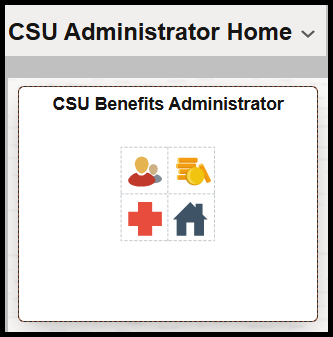
Step 1: On the CSU Administrator Homepage, click the CSU Benefits Administrator tile.
Step 2: Navigate to Review Employee Benefits > Employee Event Detail
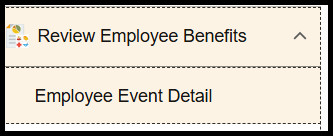
Alternate navigation: Menu > Benefits > Manage Automated Enrollment > Review Processing Results > Employee Event Detail
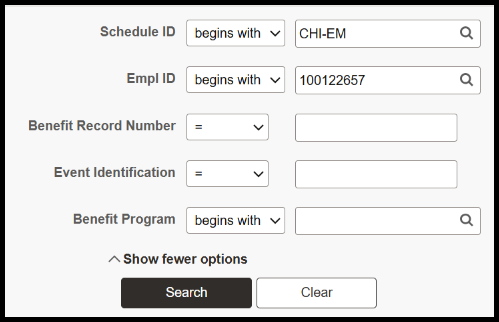
Step 3: Search for the employee.
Participant page
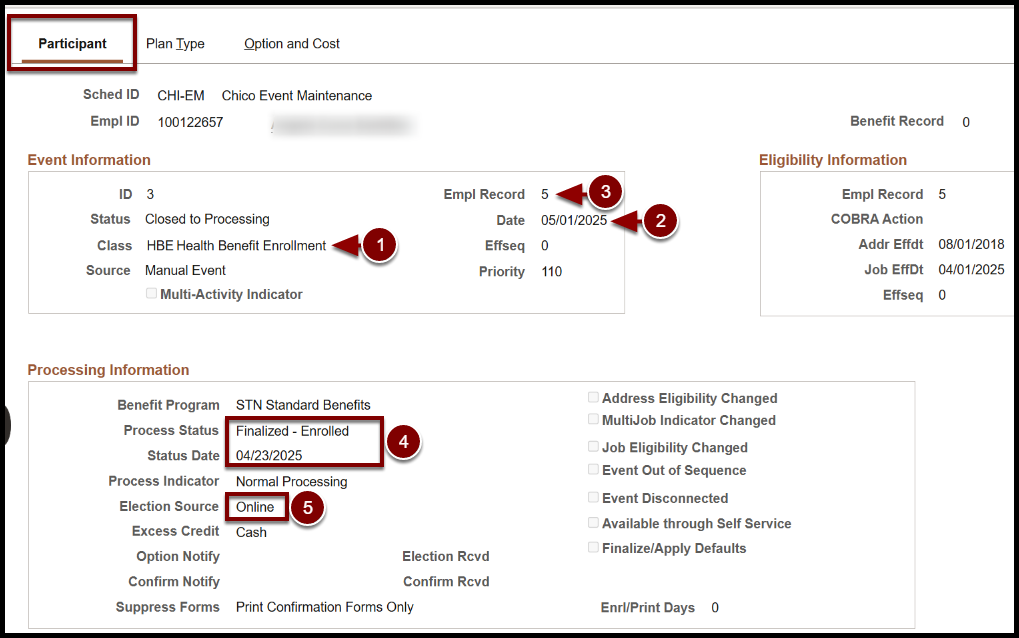
Click the Participant tab to open the Participant page. On this page you can find the following information.
How to read this page:
- The event class is HBE Event.
- The event is dated 5/01/2025.
- The event is tied to employee record 5.
- The event was finalized on 4/23/2025. Process Status can also be Prepared, Notified, Prepared None, depending on the step in the Event Maintenance process.
- The election was made by the Benefits Officer through On Demand Event Maintenance.
- Election Source could be:
- Online = Benefits Officer made the elections in On Demand Event Maintenance
- Web = Employee made elections through EE Self Service
- None Entered = No elections were made
- Voice Response = only used if company uses voice capability
- Election Source could be:
Plan Type page
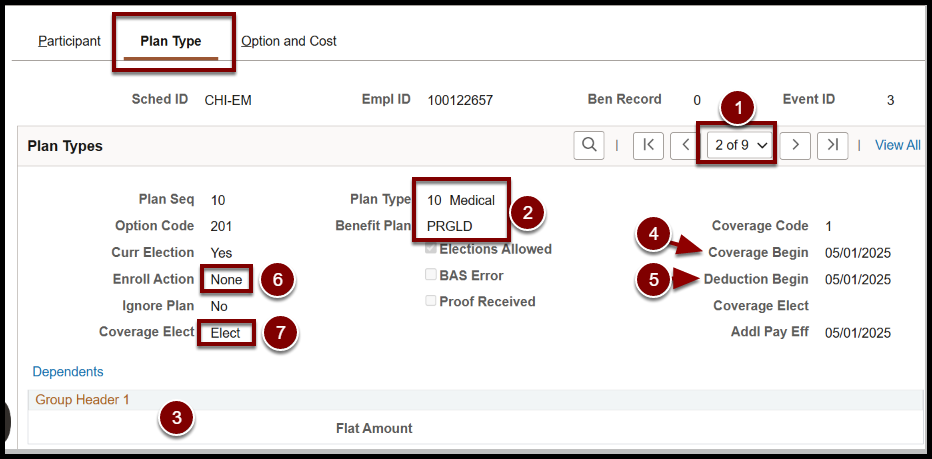
The Plan Type page shows every plan type that an eligible option was found for the employee.
How to read this page:
- Navigation: Click the Plan Type tab to open the Plan Type page.
- Employee elected a Pers Gold Medical Plan.
- Single coverage. Dependents would be listed if the employee enrolled dependents.
- Coverage begins on 5/1/2025.
- Deduction begins on 5/1/2025.
- Enroll actions are Enroll, None, or Terminate.
- Coverage Elect can be Elect, Terminate or Waive, and is reflected in Health Benefits/Base Benefits.
Option and Cost page
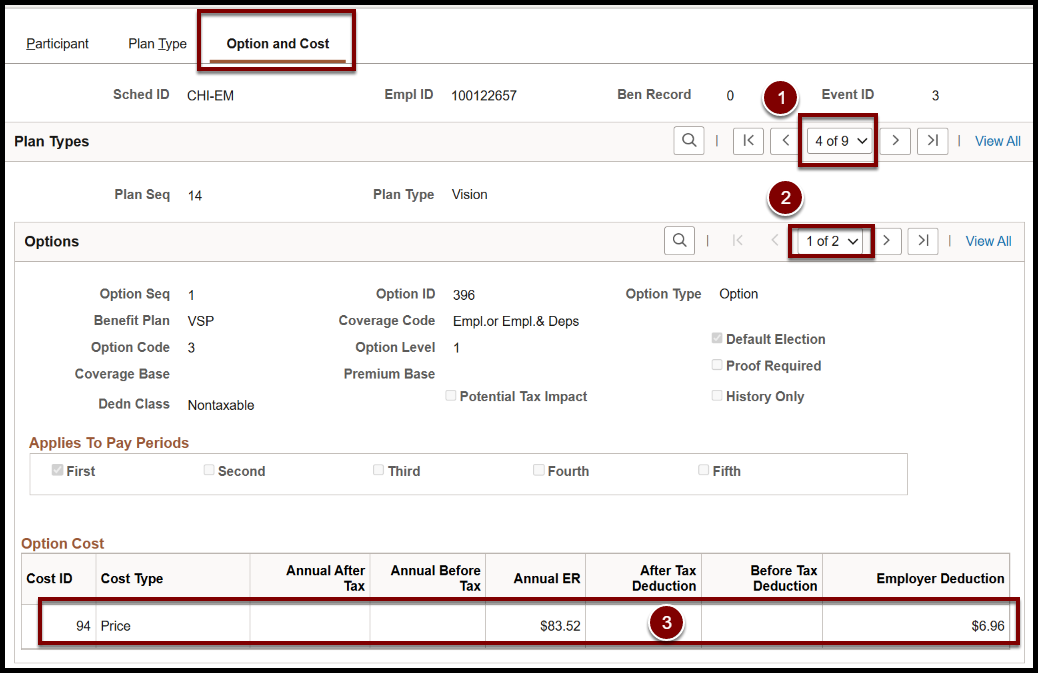
The cost tab displays each plan option and the associated cost for each, including Waive if the plan type has a Waive option.
- Select the event ID.
- Select the option.
- Review the price for that option.
Reference
The attached document provides definitions for the fields on each page.
End of Article