- Navigate to Leave and Compensatory Time
- Click the Navbar button.

- Navigate to Manager Self Service > Time Management > View Time > Leave and Compensatory Time.
- Search for the employee
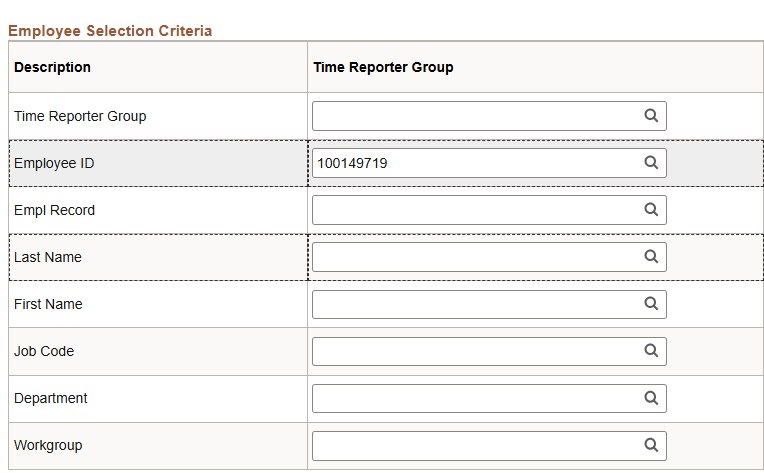
Enter any of the following criteria:
- Employee ID (recommended if known)
- Empl Record
- Last Name
- First Name
- Job Code
- Department
Workgroup
- Select Leave type and date
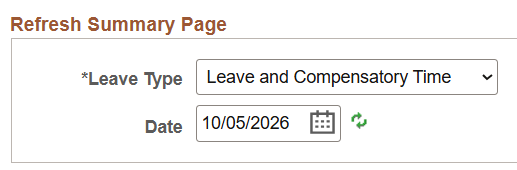
Scroll down to the Refresh Summary Page section and then
- Select the Leave Type.
- Absence Management: Should be selected to view if the employees has taken Vacation, Sick, Personal Holiday, etc.
- Leave and Compensatory Time: Should be selected to view CTO, ADO, and other leave types
- Select the Date. The Date defaults to the current date. You might need to adjust the date.
- Get employee records
Click Get Employees.

- View absence details
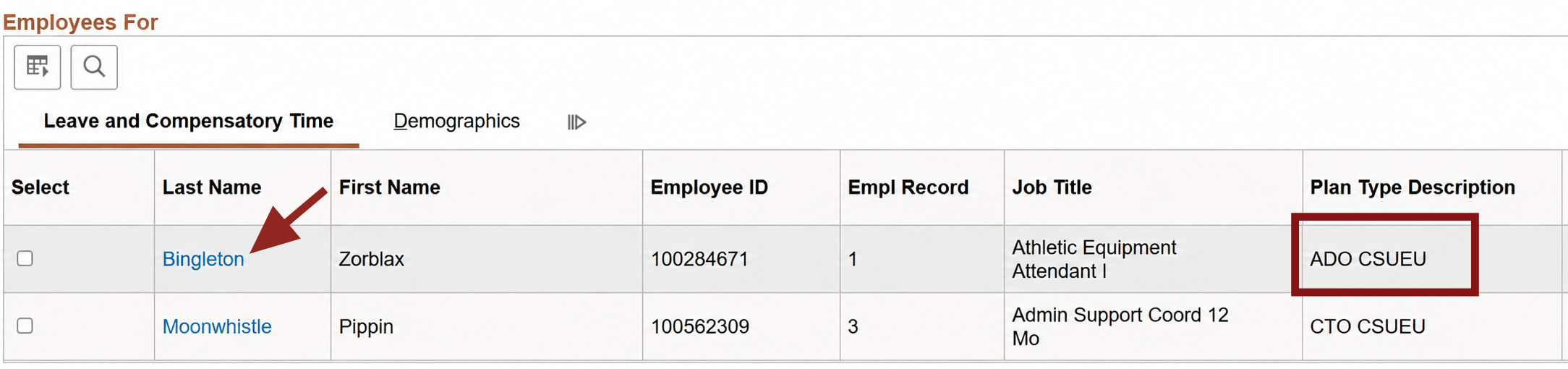
- The page displays a list of Absence Details for the employee.
- Click the last name to view details by plan type.
- Review leave and compensatory details
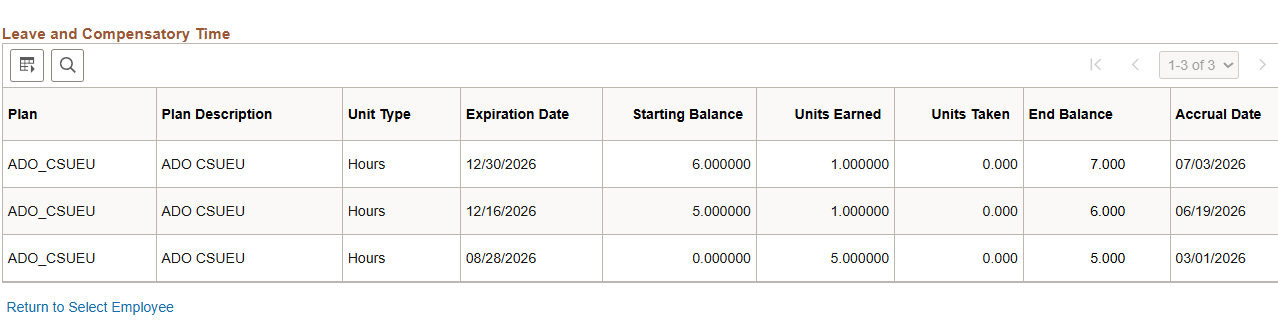
Review the details displayed for the selected employee and plan type.
End of Article