The purpose of this document is to provide campuses with an understanding of how to monitor Synchronous Messages. Regular monitoring is essential to verify successful processing, identify errors or failed requests, and detect integration issues early. Reviewing these messages on a routine basis can help campuses diagnose and resolve many integration issues before submitting a support case.
In both CHRS and CS, campuses cannot rely on the “Done” status directly located on the page and must review the details to see if an “error” has occurred.
CHRS
CHRS is a shared environment, and the Integration Broker messages contain Level 1 data. As a result, campuses do not have access to, or responsibility for, monitoring Synchronous or Asynchronous Integration Messages within CHRS.
These integration messages are monitored by the CHRS App Dev Team using Nagios. If an integration issue affecting a specific campus is identified, the CHRS App Dev team will perform the necessary analysis and notify the impacted campus with the appropriate findings and next steps.
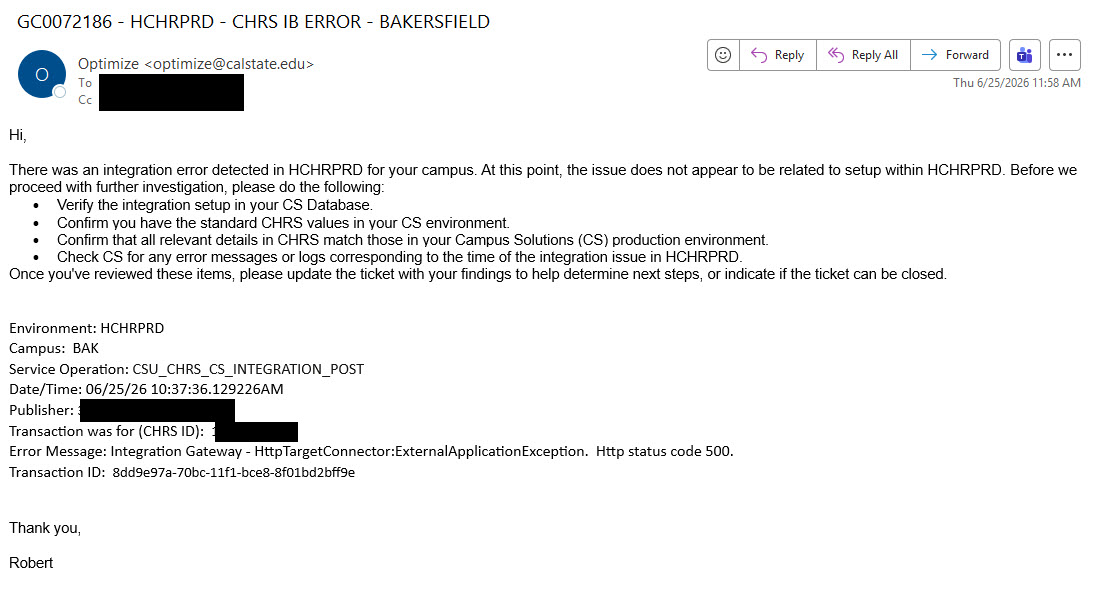
Below is an example of the type of communication a Campus IB SME may receive if an integration error occurs for their campus.
Campus Solutions
Campuses are responsible for monitoring their Campus Solutions Integration Broker messages, including both Synchronous and Asynchronous transactions, to verify successful processing and identify any errors or failed requests.
The following message statuses are commonly encountered:
- Cancel – The message was canceled by a user. The data was received but not processed due to user action.
- Done – The message was successfully sent or received (depending on the system) and processed to completion.
- Error – The message encountered an error and cannot be processed. This status requires attention because it can prevent subsequent messages in the queue from processing.
- New – The message is waiting to be processed. This typically indicates either a high volume of messages ahead in the queue or an earlier message in an Error status that is blocking processing.
When reviewing a message, the XML is divided into two sections:
- The first section contains the table and field structure that defines the message.
- The second section contains the transaction data being transferred between systems.
An Error message can be handled in several ways:
- Review the error, correct the underlying issue, and then manually reproduce the transaction so a new Integration Broker message is generated.
- Cancel the error to allow subsequent New messages to process, then return later to correct the issue.
End of Article