Overview
Background
You are completing a Life Event and have decided to enroll in medical or dental flex cash. If you need to start a life event, go here: Life Event Quick-start Guide.
If you are enrolled in a Medical plan or Dental plan, waive those benefits before proceeding. Medical and dental flex cash are alternatives to medical and dental coverage, not supplements. If you choose flex cash instead of medical or dental plans, use this procedure to enroll in:
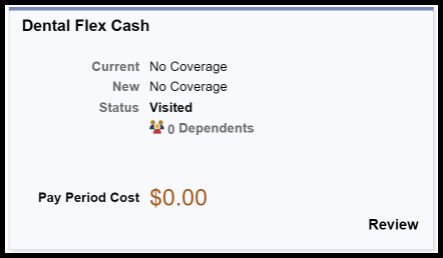
- Dental Flex Cash
- Medical Flex Cash
Optional: Enroll in Medical or Dental Flex Cash benefits
Step 1: On the Benefits Enrollment page, click a tile to open enrollment options for that benefit.
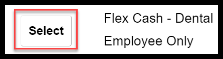
Step 2: Select an option.
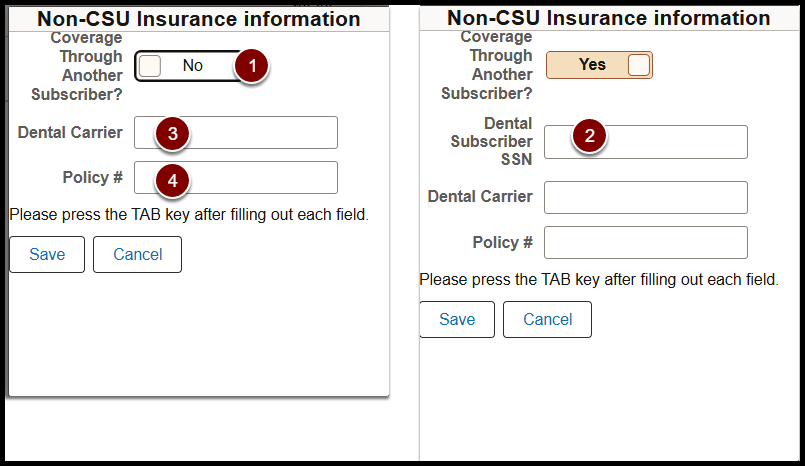
Step 3: Enter Non_CSU Insurance Information:
- Toggle Coverage through Another Subscriber.
- Enter Dental Subscriber social security number (if applicable).
- Enter Dental Carrier.
- Enter Policy Number.
Step 4: Click Done.

Step 5: Click Done.

What to do next
Return to the Life Event Quick-start Guide.
End of Article