What is CHARS?
CHARS is an AI assistant developed by the CHRS Training Team to help employees, managers, and administrators find answers to CHRS questions.
CHARS uses CHRS training documentation as its reference source. It does not search the web or rely on general, non-CHRS information. CHARS can answer questions and provide links to relevant CHRS articles and job aids.
If CHARS cannot find an answer in the available CHRS documentation, it directs you to the campus contacts website, where you can find contact information for campus CHRS HR departments.
CHARS receives updates to its reference materials through a nightly process. When an article is updated, the revised information is generally available to CHARS the following day. Because CHARS can make mistakes, use the linked documentation to verify the answer and follow official campus guidance when needed.
Who can use CHARS?
CHARS is available to users with a valid CSU Microsoft account.
How to access CHARS
- On the CSU Knowledge Base main page, select Ask the AI Assistant.
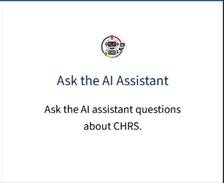
- Sign in with your CSU Microsoft account.

- Ask CHARS a CHRS-related question.
Review the response and follow the link to the recommended CHRS article or job aid.
How to get the best results
Include your role in the question. For example, “How do I enter absences as a manager?” may produce a different answer from “How do I enter absences as an employee?”
You can also ask follow-up questions if the initial response does not fully address your need.